
Quick answer: to choose the right AI tool, start with one specific task, pick the type of tool built for it, test two or three options on your own real work for a week, then check accuracy, data privacy, integrations and the real monthly cost before you pay. The 10-step checklist below walks you through it.
There are now thousands of AI tools, and new ones launch every week. Most people pick one because it is trending, pay for a subscription, and stop using it a month later. This guide shows you how to choose the right AI tool for your work, whether you are a student, a blogger, a freelancer or running a business. It works for free AI tools and paid ones, and you can reuse it every time a new “must-have” tool appears.
How to Choose the Right AI Tool: The 10-Step Checklist
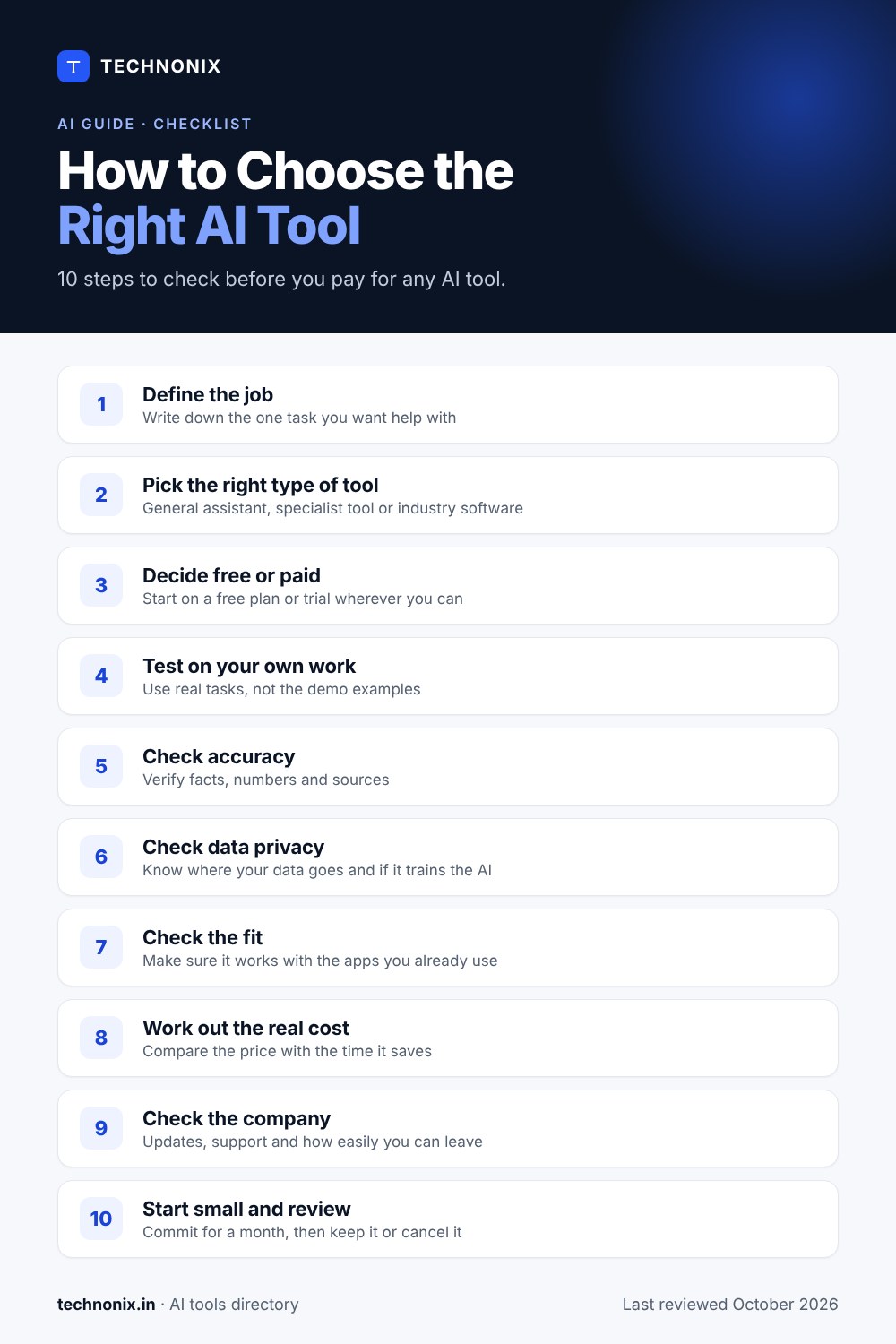
Bookmark this list and run through it before you sign up for anything:
- Define the job. Write down the one task you want help with.
- Pick the right type of tool. General assistant, specialist tool or industry software.
- Decide free or paid. Start on a free plan or trial wherever you can.
- Test on your own work. Use real tasks, not the demo examples.
- Check accuracy. Verify facts, numbers and sources it gives you.
- Check data privacy. Know where your data goes and whether it trains the AI.
- Check the fit. Make sure it works with the apps you already use.
- Work out the real cost. Compare the price with the time it saves.
- Check the company. Look at updates, support and how easily you can leave.
- Start small and review. Commit for a month, then keep it or cancel it.
Step 1: Start With the Job, Not the Tool
The most common mistake is choosing a tool first and looking for a use later. Flip it around. Write one sentence that describes the job, how often you do it, and what “good” looks like. For example: “I write four blog posts a month and want a faster first draft that still sounds like me.”
That one sentence tells you what to look for and gives you something to test against. If you cannot write the sentence, you probably do not need a new tool yet.
| IF YOUR JOB IS… | LOOK FOR… |
|---|---|
| Writing emails, posts or reports | An AI writing assistant or a general AI assistant |
| Fixing grammar, tone and clarity | An AI grammar and editing tool |
| Research and summarising long documents | A general AI assistant with a large context window |
| Images, video or presentations | A dedicated AI image, video or slides tool |
| Running a law firm or other practice | Industry software with AI built in |
| Repetitive tasks across several apps | An AI automation or agent tool |
Step 2: Pick the Right Type of AI Tool
AI tools fall into a few broad groups. Knowing which group you need narrows thousands of options down to a handful.
General AI assistants
ChatGPT, Gemini and Claude are the best-known general assistants, and ChatGPT and Gemini are among the most searched terms on Google. They can write, research, summarise, analyse files and help with code. If you are new to AI, start here: all three have free plans, so you can compare them on the same task. Read our guide to Claude AI for a full comparison of the three.
Specialist AI tools
Specialist tools do one job very well. AI writing tools like Grammarly, ProWritingAid, LanguageTool and Hemingway Editor focus on editing; Quillbot and Wordtune focus on rewriting; Sudowrite is built for fiction writers. They usually sit inside the apps you already write in.
Industry software with AI built in
Some of the most useful AI is now inside software made for one profession. Legal AI tools such as Clio, MyCase and Smokeball add AI to case management, billing and drafting. If your industry has tools like this, they often beat a general assistant because they already hold your data and follow your workflow.
Step 3: Decide Between Free and Paid AI Tools
Free AI tools are a great way to start, but they usually come with limits. Here is what typically changes when you pay:
| FREE PLAN | PAID PLAN | |
|---|---|---|
| Usage | Daily or monthly limits | Higher limits or unlimited use |
| Features | Core features only | Advanced features, newest models |
| Data controls | Fewer privacy and admin settings | More control, especially on business plans |
| Support | Help articles and community | Email, chat or dedicated support |
| Best for | Testing and light use | Daily use and business work |
Many tools in our directory offer a free plan, including Grammarly, Quillbot, LanguageTool and Rytr. Others, like Sudowrite and Clio, offer a free trial instead. Always use the free option first, and only upgrade when you hit a limit that actually slows you down.
Step 4: Test the Tool on Your Own Real Work
Demos are designed to look perfect. Your work is messier. Give each tool on your shortlist the same three real tasks and compare the results side by side. A simple one-week test plan:
- Day 1: sign up and set up your profile, style or project settings.
- Days 2–4: run the same three real tasks in each tool and save the outputs.
- Day 5: compare the results. Which one needed the least fixing?
- Days 6–7: use your favourite for normal work and note anything that annoys you.
To put tools side by side on features and pricing before you test, use our AI tool comparison page.
Step 5: Check Accuracy and Hallucinations
Every AI tool can sometimes state something false with complete confidence. This is called a hallucination. The better tools do it less often, show their sources, or tell you when they are unsure, but none are perfect.
- Ask it questions you already know the answers to and see how it does.
- Check every number, date, name and quote before you publish or send anything.
- Prefer tools that cite sources you can click and verify.
- Be extra careful with legal, medical and financial content.
RULE OF THUMB
Treat AI output like a draft from a fast, clever intern: useful, but always checked before it goes out under your name.
Step 6: Check Data Privacy and Security
This is the step most people skip, and the one that matters most for business use. Before you paste in client details, contracts or company data, find clear answers to these questions in the tool’s privacy policy, security page or help centre:
- Is my data used to train the AI? Can I turn that off?
- How long is my data stored, and can I delete it?
- Where is the data stored, and who can access it?
- Does the company publish security reports such as SOC 2 or ISO 27001?
- Are there admin controls, single sign-on and user permissions for teams?
- Can I export my data if I decide to leave?
If a vendor cannot answer these clearly, do not use it for anything confidential. For a deeper look at managing AI risk in an organisation, see the NIST AI Risk Management Framework.
Step 7: Make Sure It Fits Your Workflow
The best AI tool is the one you will actually use every day. That usually means it works where you already work. Check for browser extensions, apps for your devices, and integrations or connectors for tools like Google Workspace, Microsoft 365, Slack or your CRM. A slightly less powerful tool that lives inside your email will often save more time than a brilliant one you have to switch to.
Step 8: Work Out the Real Cost
The price on the pricing page is rarely the full story. Look out for per-seat pricing, usage credits that run out, features locked to higher plans, and discounts that only apply if you pay a year upfront.
Then do a quick value check. Multiply the hours the tool saves you each month by what an hour of your time is worth, and compare that with the price:
| EXAMPLE | AMOUNT |
|---|---|
| Time saved per week | 3 hours |
| Time saved per month | About 12 hours |
| Value of your time | $25 per hour |
| Value of time saved | About $300 per month |
| Tool price | $20 per month |
If the value of the time saved is not clearly higher than the price, keep looking or stay on the free plan.
Step 9: Check the Company Behind the Tool
AI moves fast, and some tools disappear as quickly as they arrive. Before you build your workflow around one, check that it is updated regularly, that support actually replies, and that real users are happy with it. Make sure you can export your work so you are never locked in.
Step 10: Start Small, Then Review
Pick one tool, use it for one month, and set a reminder to review it. Ask yourself three questions: did I use it every week, did it save me real time, and would I pay for it again today? If the answer to any of them is no, cancel and try the next tool on your list. A small set of tools you use every day beats a long list of subscriptions you forget about.
Red Flags to Watch Out For
- No clear privacy policy, or vague answers about how your data is used.
- Promises that sound too good to be true, like “replace your whole team”.
- No free plan, trial or demo before you have to pay.
- No way to export your data or cancel easily.
- No visible company, team or support contact behind the product.
Best AI Tools to Start With in 2026
Not sure where to begin? Here are good starting points by need, all from the Technonix directory:
| IF YOU NEED… | START WITH |
|---|---|
| An all-round AI assistant | ChatGPT, Gemini or Claude (see our Claude AI guide) |
| Grammar and clear writing | Grammarly, ProWritingAid, LanguageTool |
| Rewriting and paraphrasing | Quillbot, Wordtune |
| Simpler, more readable writing | Hemingway Editor |
| Blog and marketing copy | Rytr and our AI tools for bloggers |
| Fiction and creative writing | Sudowrite |
| Running a law firm | Clio, MyCase, Smokeball and more AI tools for lawyers |
Browse every category in the Technonix AI Tools directory, or explore tools by job on our AI use cases page.
Frequently Asked Questions
What is the best AI tool for beginners?
A general AI assistant such as ChatGPT, Gemini or Claude is the easiest place to start. All three have free plans, so try the same task in each and keep the one whose answers you like best.
Are free AI tools safe to use?
Many are, but free plans often have fewer privacy controls. Check whether the tool uses your data for training and avoid pasting confidential or personal information into any tool until you have read its privacy policy.
How much should I pay for an AI tool?
Only as much as the time it saves you is worth. Use the value check in Step 8: if a tool saves you a few hours a month, a modest monthly plan can easily pay for itself.
Should I use one AI tool or several?
Most people do best with one general assistant plus one or two specialist tools for their main jobs. More than that, the subscriptions and switching start to cost more than they save.
How do I know if an AI tool uses my data for training?
Look for a section on model training in the privacy policy, security page or settings. Many tools let you opt out, and business plans often exclude your data from training by default. If you cannot find a clear answer, ask the vendor before using it for sensitive work.
Find the Right AI Tool Faster
Now that you know how to choose the right AI tool, browse tools by category and use case, check features, pricing and pros and cons, then compare your shortlist side by side.
Explore the AI Tools directory →
Last reviewed October 2026. We update this guide as AI tools and pricing change.


Leave a comment