
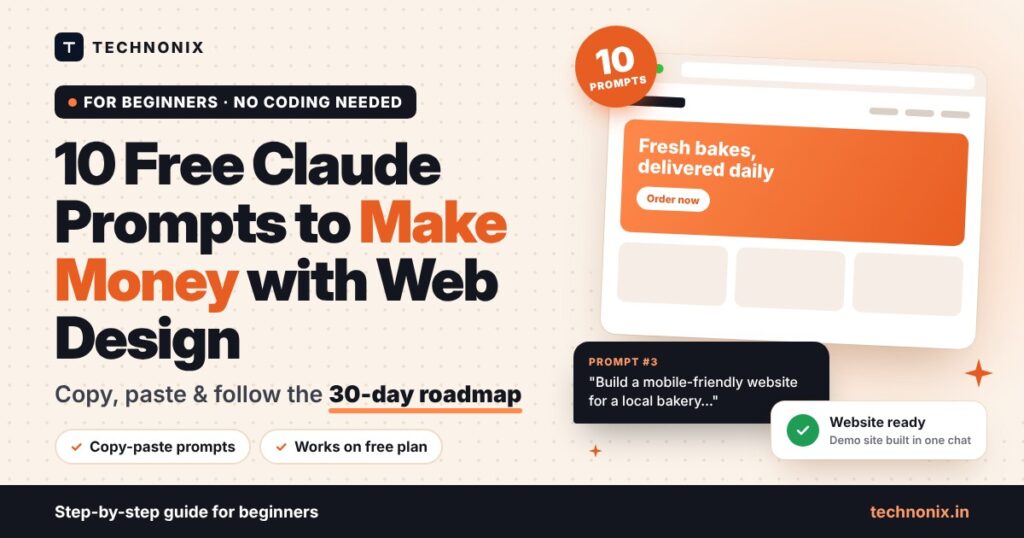
Quick answer: you can start to make money with web design using the free plan of Claude. Pick one niche (for example local restaurants or clinics), use Claude to learn the basics and build three demo websites, publish them as a portfolio, then offer a simple fixed-price website package to small businesses. The 10 copy-and-paste prompts and the 30-day roadmap below show you exactly what to do, step by step.
Thousands of small businesses still have no website, or have one that looks broken on a phone. That is a real opportunity for beginners. With an AI assistant like Claude and the right prompts, you no longer need years of coding practice to build a clean, fast website, write the text for it, and explain your work to a client.
This guide gives you 10 free Claude prompts for web design that cover the whole journey: choosing a niche, learning the basics, building demo sites, getting your first client and keeping them. Every prompt works on Claude’s free plan, so anyone can start to make money with web design without paying for tools first. Just copy it, replace the words in [square brackets], and send.
Be realistic: AI makes web design faster and easier to learn, but it is not instant money. Most beginners need a few weeks of steady practice and outreach before the first paid project. The roadmap below is built for that.
Disclosure: this guide contains an affiliate link to Hostinger. If you buy hosting through it, Technonix may earn a commission at no extra cost to you. We only recommend it because it fits the beginner plan in this guide.
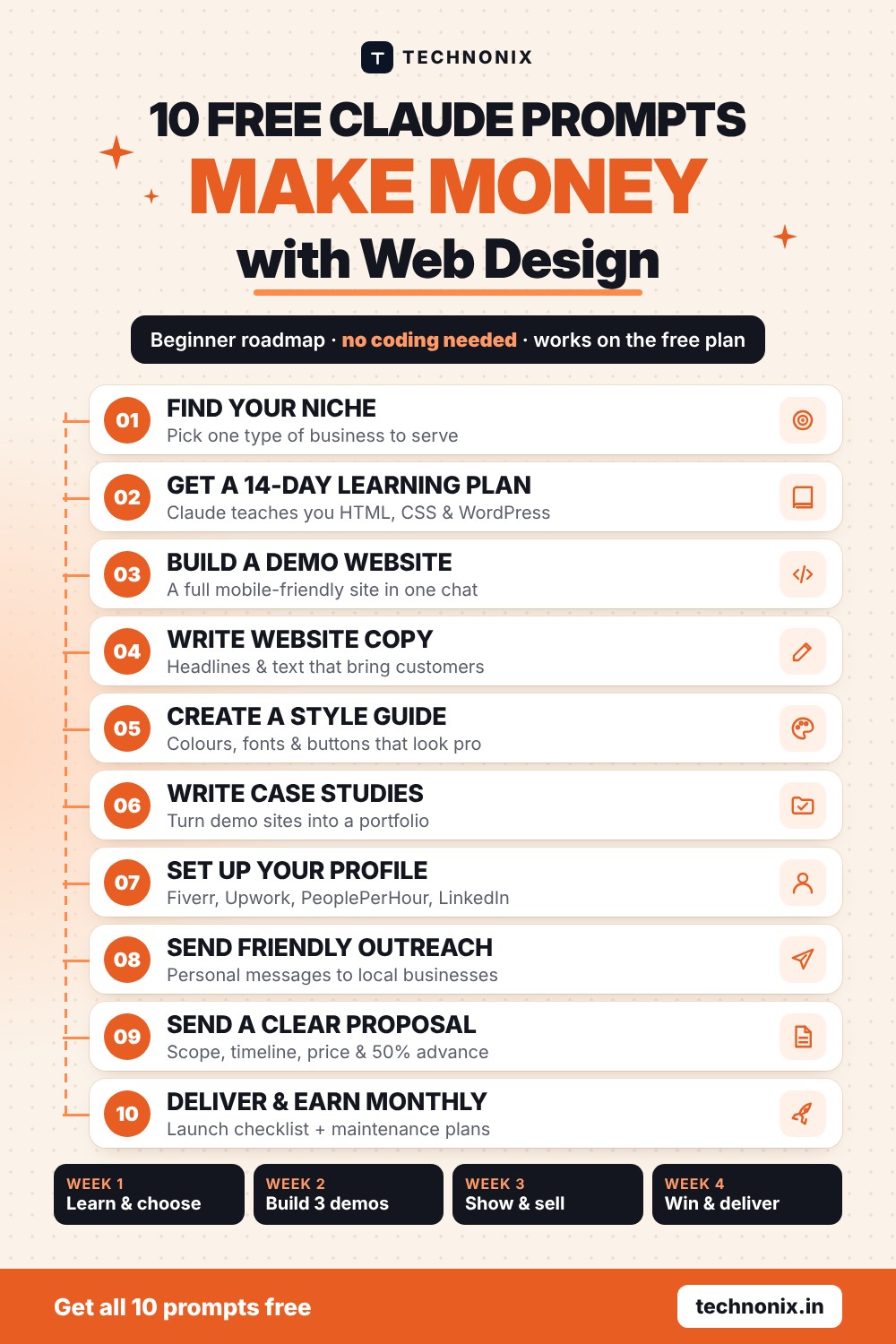
The 30-Day Roadmap to Your First Web Design Client
Think of this as web design for beginners, broken into small weekly steps. Follow it one week at a time. Each week uses two or three of the prompts further down.
| Week | What you do | Prompts |
|---|---|---|
| Week 1 Learn and choose | Pick one niche, learn HTML, CSS and WordPress basics, study 10 good websites in your niche. | 1, 2 |
| Week 2 Build | Create three demo websites for imaginary businesses in your niche, with real-looking text and colours. | 3, 4, 5 |
| Week 3 Go live and sell | Get your own domain and hosting, put your portfolio website live, write case studies, set up freelance profiles and start outreach. | 6, 7, 8 + bonus |
| Week 4 Win and deliver | Send proposals, close your first project, deliver it well and ask for a review. | 9, 10 |
- Time needed: about 1 to 2 hours a day.
- Money needed to start: nothing for Weeks 1 and 2. In Week 3 you make one small investment: a domain and hosting for your own portfolio website (see the next section). Client websites are paid for by the client.
- What you need: a laptop, an internet connection and a free Claude account at claude.ai.
Week 3 Must-Do: Get Your Own Domain and Hosting
This is the step most beginners skip, and it is the one that makes clients take you seriously. Demo sites on a free preview link look like practice. A portfolio on your own domain, such as yourname.in, with an email like hello@yourname.in, looks like a real business.
Your own hosting also gives you a place to:
- Publish your portfolio and the three demo websites you built in Week 2, so you can send a real link to every prospect.
- Practise WordPress on a live site, which is what most small business clients ask for.
- Show clients a preview of their new website before it goes live on their own domain.
Why We Recommend Hostinger for Beginners
We checked Hostinger’s India web hosting plans in November 2026. For someone starting out, it ticks the boxes that matter:
- Free domain for the first year with Premium and higher plans when you choose a term of 12 months or longer.
- Free SSL certificates, so your site shows the padlock and loads on https.
- Easy WordPress setup and an AI website builder, both included.
- Free professional email on your domain (2 mailboxes per website on Premium, free for the first year).
- Automatic backups: weekly on Premium, daily on Unlimited.
- 30-day money-back guarantee, and prices in rupees.
Which Hostinger Plan Should You Choose?
| Plan | Best for | Free domain | Offer price* |
|---|---|---|---|
| Single 1 website, 10 GB | Testing only | No, costs extra | ₹69/mo |
| Premium (our pick) 3 websites, 20 GB | Your portfolio + demo sites | Yes, 1st year | ₹139/mo |
| Unlimited Unlimited sites, 50 GB NVMe | Hosting client sites | Yes, 1st year | ₹199/mo |
*Sale prices shown on Hostinger India in November 2026 for a 48-month term, paid upfront, excluding GST. Plans renew at a higher price (for example ₹449/month for Premium). Prices and offers change often, so check the current price on Hostinger before you buy.
Our recommendation: start with Premium. It covers your portfolio and two more websites, includes a free domain for the first year on a 12-month or longer plan, and costs less than a cup of tea a day. Move up to Unlimited only when you have paying clients whose sites you host.
How to Set It Up in 15 Minutes
- Open Hostinger India and choose the Premium plan.
- Pick a term of 12 months or longer to get the free domain. A longer term gives a lower monthly price; 12 months keeps the upfront cost smaller.
- Claim your free domain. Use the bonus prompt below to find a good name first.
- Create your account and complete the payment.
- In the setup wizard, choose WordPress. SSL is added for you.
- Build your portfolio page and add your three demo websites and case studies.
Bonus Prompt: Find the Perfect Domain Name
I am a beginner web designer called [your name] who builds websites for [your niche] in [city].
Suggest 15 short, memorable domain names for my portfolio website.
Rules: easy to spell and say out loud, no hyphens or numbers, under 15 characters before the extension, and a mix of .in and .com options.
For each one, add a one-line reason why it works. Then pick your top 3.
Tip: Check that your favourite name is available on Hostinger’s domain search before you buy, and grab the same name on Instagram and LinkedIn if you can.
What Claude’s Free Plan Gives You for Web Design
You do not need a paid plan to use these Claude prompts for web design. According to Claude’s official pricing page, the free plan includes:
- Chat on web, desktop and mobile, using the Sonnet and Haiku models.
- Artifacts, which show the website Claude builds as a live preview next to the chat, so you can see it and ask for changes.
- Web search, file creation and code execution, useful for research and ready-to-download files.
- Claude Design, Slides and Docs, handy for mockups and client proposals.
The free plan has usage limits that reset every five hours and every week. Use the tips at the end of this guide to make your messages go further. If you are new to Claude, read our guide What is Claude AI? first.
10 Free Claude Prompts for Web Design (Copy and Paste)
These Claude prompts for web design follow the roadmap, so use them in order. Replace everything in [square brackets] with your own details.
Prompt 1: Find a Profitable Web Design Niche
Beginners who try to design “for everyone” struggle to stand out. A clear niche makes your portfolio, profile and messages much easier to write.
Act as a freelance business coach. I am a beginner web designer in [your city/country] with [number] hours a day to work.
Suggest 5 niches of small businesses that often need a simple website (for example clinics, cafes, coaching classes).
For each niche, tell me:
1. Why these businesses need a website
2. The 5 most important pages or features their website needs
3. Where I can find these businesses online and offline
4. One risk or difficulty for a beginner
Then recommend the single best niche for me and explain why in 3 sentences.
Tip: Pick a niche you can reach easily, such as businesses in your own area or an industry you already know.
Prompt 2: Get a 14-Day Learning Plan
Claude can be your personal teacher. This prompt gives you a short plan that focuses only on what you need to build websites for your niche.
You are a patient web design teacher. Create a 14-day learning plan for a complete beginner who wants to build simple business websites for [your niche].
Cover: HTML, CSS, responsive design for mobile, basic WordPress with a page builder, and basic on-page SEO.
For each day give me: the topic, what to learn in 1 hour, one small practice task, and how to check I did it right.
Use simple English and avoid jargon. When I come back each day, I will tell you the day number and you will teach me that lesson with examples.
Tip: Come back to the same chat every day and type “Day 3” (and so on). Claude will teach that lesson and answer your questions. For extra reading, the free MDN web development course explains HTML and CSS clearly.
Prompt 3: Build a Demo Website in One Chat
This is the most powerful of all the Claude prompts for web design in this list. Claude builds a complete one-page website you can preview right away as an Artifact.
Build a modern, mobile-friendly one-page website for an imaginary [type of business] called "[business name]" in [city].
Sections: header with menu, hero with a clear headline and call-to-action button, services, about, customer testimonials (mark them as sample text), opening hours, location, contact form and footer.
Use a single HTML file with embedded CSS. Use a clean colour palette that suits a [type of business], a readable Google Font, and no external images (use simple shapes or icons instead).
Make it load fast and look great on a phone.
Tip: Ask for changes in plain words: “make the hero section shorter”, “use a warmer colour”, “add a WhatsApp button”. Build three demo sites like this for different businesses in your niche.
Prompt 4: Write Website Copy That Sells
Many small businesses do not have text ready for their website. Offering to write it makes you more valuable than a designer who only builds layouts.
Write the website text for a [type of business] called "[business name]" in [city].
Target customers: [who they are].
Main services: [list services].
What makes them different: [unique points].
Write: a homepage headline (3 options), a short intro, a services section, an about section and 3 strong call-to-action buttons.
Tone: friendly and trustworthy. Keep sentences short. Include the local keyword "[service] in [city]" naturally for SEO.
Tip: Always ask the real client to check facts such as prices, timings and services before the site goes live.
Prompt 5: Create a Colour Palette and Style Guide
A consistent look makes even a simple website feel professional, and a one-page style guide impresses clients.
Create a simple brand style guide for a [type of business] that wants to feel [3 words, for example calm, modern, premium].
Give me: a colour palette of 5 colours with hex codes and where to use each one, 2 Google Fonts (headings and body) with sizes, button styles, and 3 do's and don'ts.
Then show the style guide as a nicely designed one-page HTML preview.
Tip: Save each style guide. Over time you build a library of looks you can reuse and adapt quickly.
Prompt 6: Turn Demo Sites into Portfolio Case Studies
Clients trust proof. A short case study shows how you think, not just what you made, even for demo projects.
Write a short portfolio case study for a demo website I built for an imaginary [type of business].
The goal of the site: [goal, for example get more table bookings].
What I did: [design choices, pages, features].
Structure: the problem, my solution, key features, and the result I designed for.
Be honest that this is a concept project. Keep it under 200 words and end with a line inviting similar businesses to contact me.
Tip: Publish your case studies on your own portfolio website (see domain and hosting above) and put the link in every profile and message.
Prompt 7: Write Your Freelance Profile or Gig
Your profile on Fiverr, Upwork, PeoplePerHour or LinkedIn is your shop window. This prompt writes it around client benefits, not your skills list.
Write a freelance profile for [platform name] for a beginner web designer who builds websites for [your niche].
Include: a headline under 70 characters, a short bio focused on the results clients get, 3 fixed-price packages (Basic, Standard, Premium) with what is included in each, and 5 search tags.
Write in clear, confident English without exaggerated claims.
Tip: Check each platform’s rules and fees before you publish, and replace the price placeholders with prices that suit your market.
Prompt 8: Write a Friendly Outreach Message
Many first clients come from direct outreach to local businesses whose website is missing, slow or not mobile-friendly.
Write a short, friendly message I can send to the owner of [business name], a [type of business] in [city].
What I noticed: [for example no website, or the website is hard to use on a phone].
Offer: a free 1-page homepage mockup showing how their website could look, with no obligation.
Keep it under 90 words, personal and polite, with no pressure and no fake urgency. Write 2 versions: one for email and one for WhatsApp.
Tip: Send personal messages to a few businesses a day, not the same text to hundreds of people. Spam damages your reputation and can break platform rules.
Prompt 9: Create a Proposal with Clear Scope and Pricing
A clear proposal prevents arguments later. It tells the client exactly what they get, when, and for how much.
Write a simple website proposal for [client name], a [type of business].
Project: a [number]-page website with [features].
Include: project summary, what is included, what is not included, timeline in weeks, number of revision rounds, my price of [amount], payment terms (50% advance, 50% on completion), and what I need from the client (logo, photos, text approval).
Keep it to one page and easy to understand for a non-technical business owner.
Tip: Keep the first projects small and fixed-price. Raise your prices after every few good reviews.
Prompt 10: Deliver Like a Pro and Earn Monthly Income
A happy client brings repeat work and referrals. A maintenance plan turns one project into monthly income.
I have finished a website for a [type of business]. Help me with the handover:
1. A launch checklist: mobile test, page speed, contact form test, SEO titles and descriptions, Google Business Profile link, backups
2. A short, simple guide for the client on how to update text and images
3. A polite message asking for a review and a referral
4. A monthly maintenance plan offer (updates, backups, small edits, monthly report) in 3 tiers with a short description of each.
Tip: Ask Claude to review your code before launch too: paste it and ask “find mobile layout problems and accessibility issues”. If the client has no hosting yet, recommend they buy it in their own name so they always own their website. Hostinger works well for small business sites, and the free first-year domain keeps their starting cost low.
How to Get More from Claude Prompts for Web Design on the Free Plan
- One project per chat. Keep each website in its own conversation so Claude stays focused on it.
- Give details up front. Business type, city, audience and style in the first message saves several follow-ups.
- Ask for changes in one message. List all the edits together instead of sending them one by one.
- Save your work. Download or copy the HTML after each good version, so nothing is lost when you hit the usage limit.
- Check everything. Test every site on a real phone and check facts, links and forms yourself before showing a client.
Beginner Mistakes to Avoid
Most people who try to make money with web design make the same few mistakes in their first month. Avoid these and you will already be ahead.
- Promising things you have not tested. Only sell features you have built in a demo first.
- Working without an advance. Take part of the payment before you start.
- Using images and fonts you are not allowed to use. Use the client’s own photos, free-licence stock sites, or images they have rights to.
- Hiding that you use AI. You do not need to explain every tool, but never claim AI-written text or code is something it is not. You are responsible for the final work.
- Giving up after a week of no replies. Outreach is a numbers game. Improve your message and keep going.
Frequently Asked Questions
Can I really make money with web design using Claude?
Yes. Many freelancers already make money with web design using AI assistants to build websites faster. Claude helps you learn, build, write and communicate, but you still need to find clients and deliver good work. Treat it as a skill you build over a few weeks, not a get-rich-quick shortcut.
Is this web design for beginners with zero experience?
Yes. This guide is web design for beginners who have never built a website. The 14-day learning plan in Prompt 2 covers the basics, and Claude explains anything you do not understand in simple words.
Do I need to know coding to use these prompts?
No. Claude writes the code and explains it. Learning basic HTML and CSS with Prompt 2 helps a lot, because you will be able to fix small problems and edit the website confidently.
Are these Claude prompts for web design free to use?
Yes. All 10 prompts work on Claude’s free plan, which includes chat, Artifacts and file creation with usage limits. A paid plan gives you more usage if you start getting regular projects.
Do I need to buy hosting to start?
Not on day one. You can learn and build demo websites for free with Claude. Buy a domain and hosting in Week 3, when you are ready to put your portfolio online. A beginner-friendly plan such as Hostinger Premium includes a free domain for the first year on a 12-month or longer term.
How much should a beginner charge for a website?
Start with a small fixed-price package for a simple website so clients can say yes easily, then raise your prices as you collect reviews. Look at what beginners in your city and on your chosen platform charge, and price yourself in that range.
How long does it take to get the first client?
It depends on your niche and how much outreach you do. If you follow the 30-day roadmap and contact a few businesses every day, landing a first small project within one to two months is a realistic goal.
Start Your Web Design Journey Today
Open Claude, copy Prompt 1 from these Claude prompts for web design, and choose your niche today. Then explore more AI tools that can speed up design, writing and client work.
Explore the AI Tools directory →
Ready to go live? Get Hostinger with a free domain →
Not sure which AI tool to pay for later? Read How to Choose the Right AI Tool.
Last reviewed November 2026. Claude plan details are from Claude’s official pricing page; Hostinger plans and prices are from Hostinger India and may change.


Leave a comment